Move from the company view to the details of a single job.
Lead Manager / Business software
Less switching.
More doing.
From the first enquiry to the final invoice. Bring your customers, projects and creative tools into one connected workspace.
- Connected client & project records
- Tools for the whole team
- Custom systems when you need more
MONDAY / WORKSPACE OVERVIEW
Connected viewEverything in motion.
Your work and its signals, together.
Monthly revenueR5.4mSample figure
New leads2 480Across your channels
Open pipelineR7.8m34 opportunities
Performance, at a glanceLast 8 months
FEBSEP
Next actions03
01 Review new enquiries
02 Follow up on open quotes
03 Check delivery time
01 / One place for the whole job
A client. A project.
Everything connected.
A quote should lead to the work, the invoice and the files behind it. Projects bring those records together, while each team keeps the tools it needs.
YOUR WORKSPACE
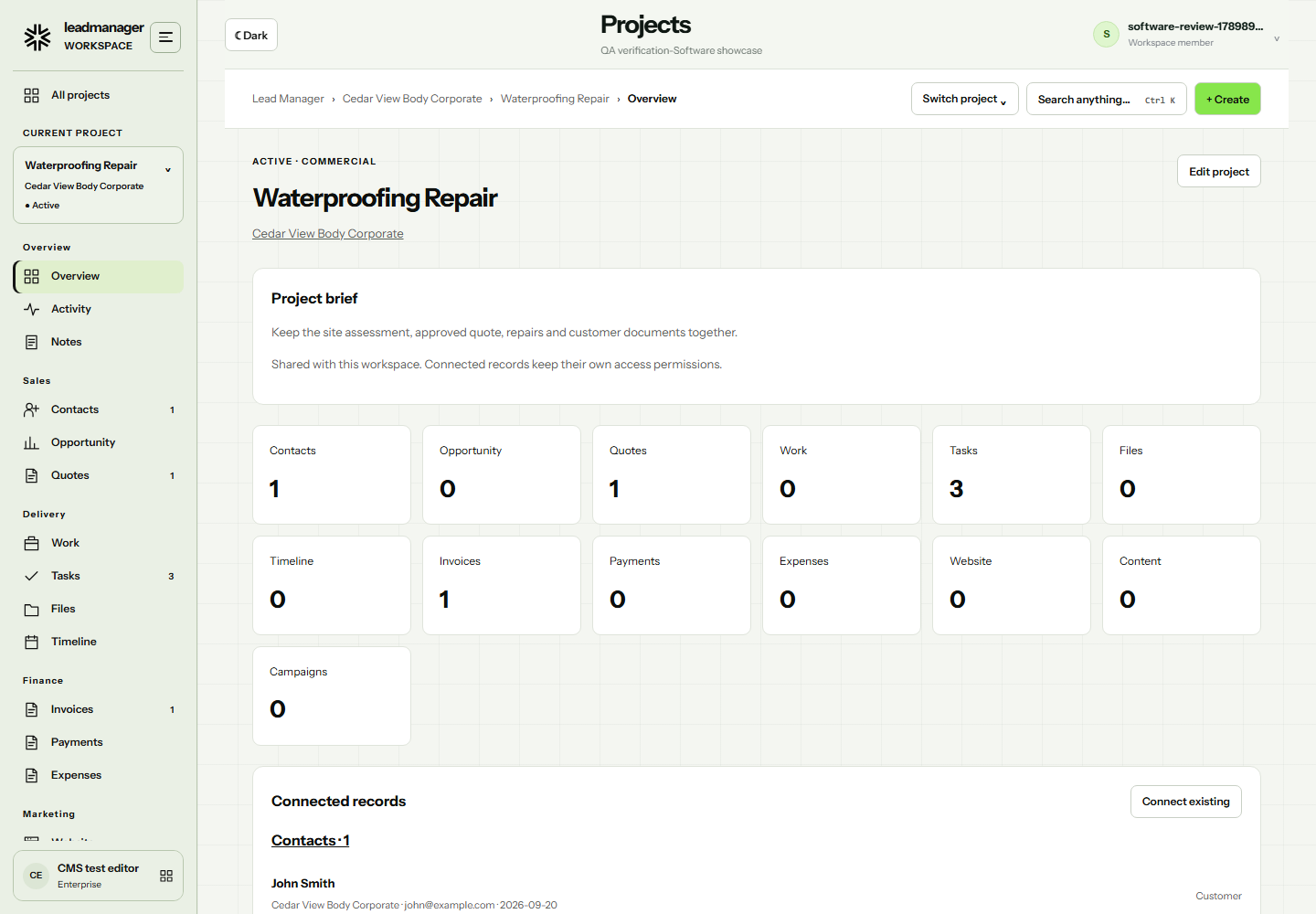
ClientCedar View Body Corporate
ProjectWaterproofing Repair
- Quotes & opportunities
- Tasks & delivery
- Invoices & payments
- Files & content
Bring tasks, scheduled content and shared events into view.
Keep assets private, share with your account or grant access to a teammate.
Find connected records with Ctrl + K and create work in context.
02 / Your software toolkit
Each tool has a job.
They work better together.
Choose the workspace you need. Your account, permissions and connected records follow you.
01
Lead CRM
People. Pipeline. Progress.Keep contacts, opportunities, quotes and delivery work together. Open the original records from the project they belong to.
Contacts / Pipeline / Quotes 02Lead Accounting
From quote to payment.Prepare quotes and invoices, generate PDFs, record payments and build customer statements. Customise document branding and reusable templates.
Invoices / PDFs / Statements 03Lead Reports
See where things stand.Review revenue and lead trends, compare reporting periods and export business data for a closer look.
Revenue / Sales / Exports 04Lead Website
Build it. Make it yours.Start with a design or import HTML and CSS. Edit sections visually, refine individual screen sizes and manage pages, posts and media.
Visual builder / CMS / Theme 05Lead Content
A home for what comes next.Organise your content library, prepare posts and bring reusable assets into the creative process. Connect planned work to the shared scheduler.
Content library / Assets / Planning 06Lead Video
Show people how it works.Record a workflow, arrange scenes and edit the script. Adjust narration, preview the result and generate a video guide.
Recording / Scenes / Voice 07Lead Email
Make every message clear.Design reusable email templates with your own copy, imagery and styling. Export email HTML or use approved templates in a workflow.
Templates / Branding / HTML 08Lead Form
Capture the right details.Build enquiry forms with field choices, multi-step layouts, file uploads and consent. Publish and manage submissions in your account.
Fields / Uploads / Submissions 09Lead Flow
Give the next step a plan.Connect triggers, conditions and CRM actions. Prepare follow-ups and test the sequence before activating configured connections.
Triggers / Conditions / Follow-upsAvailable tools depend on your package and account permissions. External sending, publishing and AI services need an approved provider connection.
03 / Lead Website
Your website.
Your way of working.
Start with a template, import your HTML and CSS, or build with reusable sections. Select the section, container or individual component you want to change.
- Visual blocks, nested layers and direct source editing
- Mobile, tablet, laptop, desktop and wide previews
- Screen-specific styles, grid layouts and spacing controls
- Page title, description and checks that lead you to the element
- Saved designs, global themes and HTML or project exports
Expanded using our Formovi partner source. Website Builder access is approved by your platform administrator; content editing has its own permissions.
Open Website Builder ↗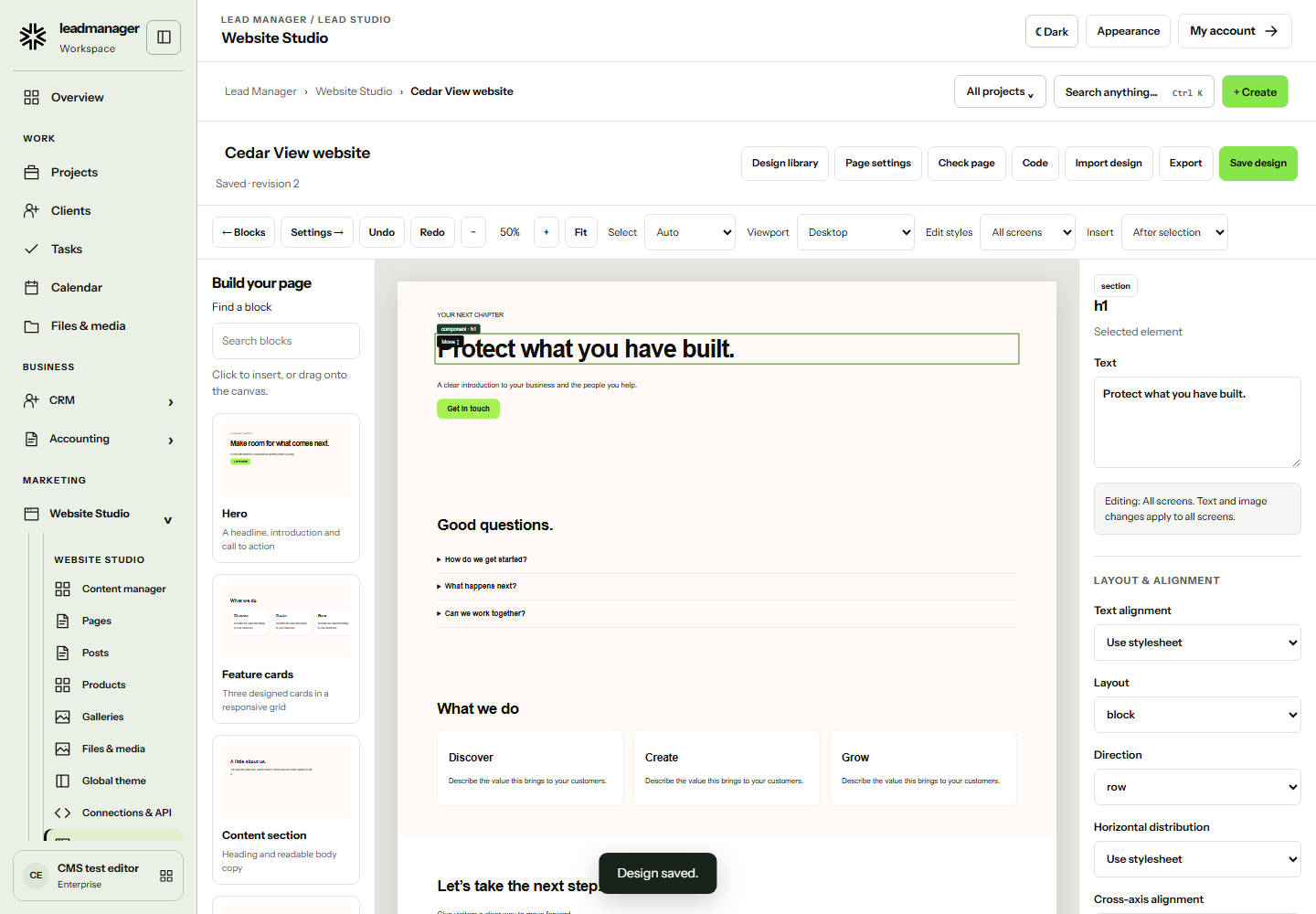
04 / Lead Accounting
A clear view of
the numbers.
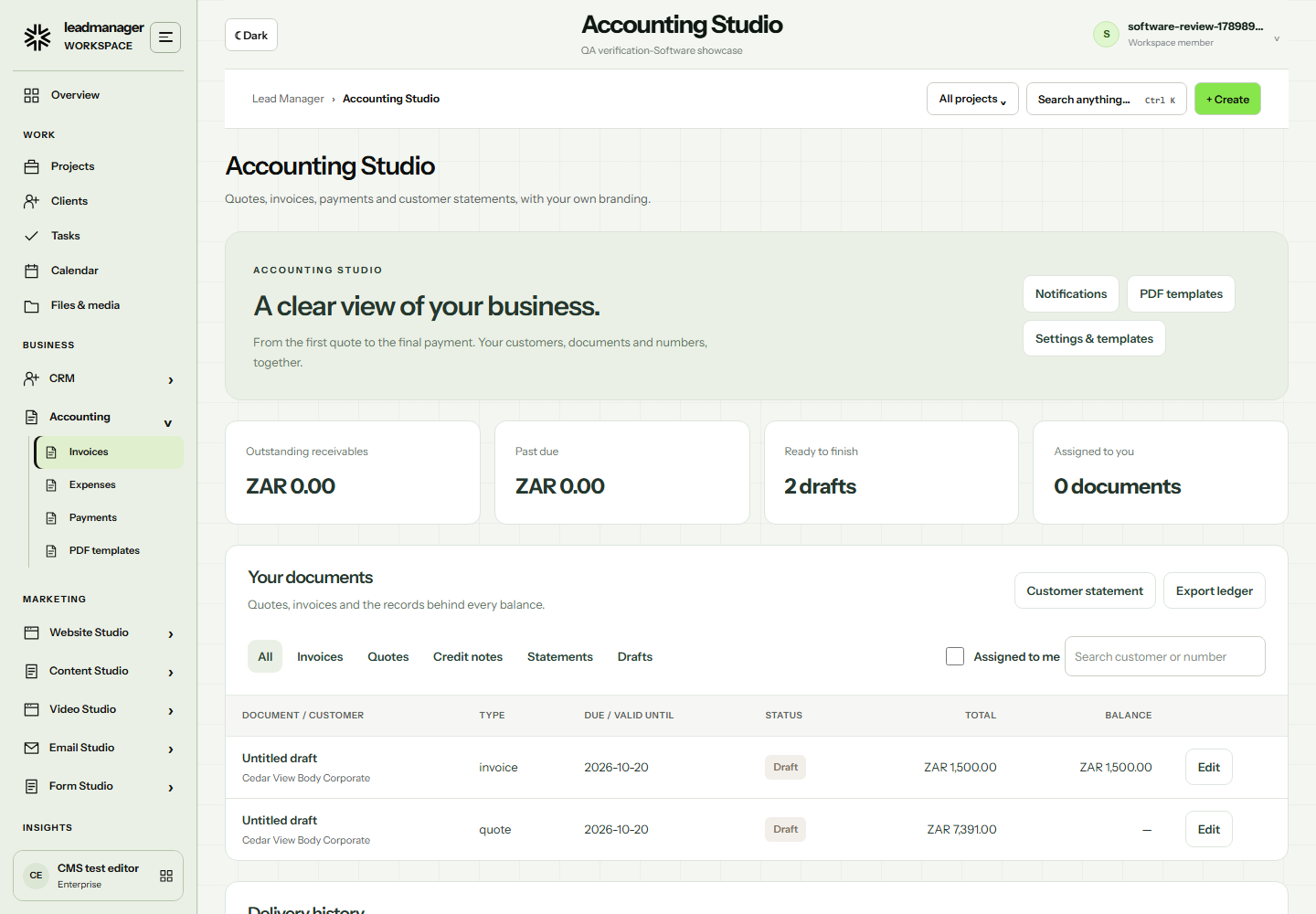
Keep customer documents and payments close to the work. Prepare a quote, issue an invoice and see what remains outstanding.
- Downloadable quote and invoice PDFs
- Customer statements and payment records
- Tax settings and line-item categories
- Branding, template layouts and data variables
- Document assignments and notifications
Built for document and receivables management. Full bookkeeping, payroll and statutory filing can be scoped with your accounting requirements.
Open Accounting Studio ↗05 / Lead Track
Track your work.
See the time behind it.
Lead Track brings time, tasks and project context into one view. Follow a session as it runs, keep today's work close and understand where effort goes. The connected time and attendance experience is in development.
Explore Lead TrackCURRENT SESSION
01:2436
Client website review
Cedar Studio Website launch
RunningBillable time
TODAY'S WORK3 tasks
- Prepare the briefCompleted
- Review client siteIn progress
- Share next stepsUp next
Time → tasks → projects
06 / Connect what you already use
Keep your tools.
Connect the next step.
Capture a website enquiry, organise the record and follow it through a configured workflow. Connect account services once, then use them from the tools that need them.
Explore integrations ↗Website capture
PHP connector, JavaScript forms and authenticated webhooks.
Email & messaging
Your configured email, SMS and WhatsApp providers, with consent-based follow-ups.
Automation services
Connect Zapier, Make or your server through approved webhook requests.
AI & voice
Provider settings and account permissions control AI-assisted content and supported voice generation.
Provider accounts, credentials and configuration are required. Opening a tool does not activate a connection.
07 / Software shaped around your business
Start with the tools.
Build what comes next.
Need a client portal, a specialist workflow or a system that fits an industry? We can scope the design, data, connections and rollout around your team.
Map the work
Agree on users, journeys, records and the outcome each workflow needs.
Make it tangible
Review the interface, permissions and connections before the full build.
Connect the pieces
Implement the software, agreed integrations and approved data migration.
Support the team
Test the workflows, prepare guides and plan the handover and support.
Industry systems such as school management, restaurant POS, travel booking, e-commerce and logistics are custom project enquiries, not included ready-to-use apps.
Discuss your software project ↗A few practical details
Before you begin.
Do we need to use every tool?
No. Start with the tools your team needs. Administrators control app availability, and users can organise their navigation.
Can our existing website send enquiries here?
Yes. Use the supported website connectors or authenticated webhooks, then configure how submissions and follow-ups should be handled.
Can we use our own designs and branding?
Website Studio imports compatible HTML and CSS, while email and accounting tools have their own template controls. Review each format in its editor before publishing or sending.
How do packages and custom projects work?
Review the available packages from your account. Bespoke software, specialist integrations and migration work are scoped separately with our team.
Put your next step in motion
Your business.
One connected workspace.
Your business. Your configuration.
A plan that fits.
Enterprise-grade software, configured around you.
Scroll to compare features and plans
| WORKSPACE PLANS Monthly starting prices. | |||
| Workspace customization | ✓ | ✓ | ✓ |
| Team members | Up to 2 | Up to 5 | Up to 15 |
| Leads & contacts | ✓ | ✓ | ✓ |
| Form Studio & enquiry capture | ✓ | ✓ | ✓ |
| Email templates & website exports | ✓ | ✓ | ✓ |
| All four Lead Studios | — | ✓ | ✓ |
| Configured workflows | — | Up to 3 | Up to 10 |
| Assisted integration setup | — | 1 supported integration | Up to 3 supported integrations |
| Onboarding | Email support | Guided onboarding | Team onboarding & training |
| Monthly optimization review | — | — | ✓ |
| Priority support | — | — | Business hours |
Limited-time free setup with Startup, valued at over R30,000. Enquire about what is included. Your setup scope is agreed before work begins.
Need a custom rollout? Let’s build it around you ↗